



Return-to-Office Mandates Are Back. Is Your Workplace Ready?

Return-to-office mandates are bringing more employees back into the workplace. But getting people through the office doors is only one part of the challenge. The bigger question is whether the workplace is ready to accommodate them. An office that worked well with 30% attendance may struggle when that number rises to 70%. Desks become harder to find, meeting rooms fill up, and teams arrive expecting to collaborate, only to discover their colleagues are working from home.
For workplace and facilities managers, return to office planning is no longer just about accommodating employees. It's about making sure the available space, resources, and workplace experience can support changing attendance patterns. This requires more than a return to office policy. Businesses need visibility into who's coming in, when they're arriving, where they'll work, and how office space is actually being used.
In this guide, we'll explore how organisations can prepare for increased office attendance, avoid common capacity challenges, and use hybrid workplace management technology to create a more organised, efficient workplace.
Why Return-to-Office Mandates Are Creating New Workplace Challenges
Return-to-office policies are changing how organisations manage their physical workplaces. Some businesses are introducing minimum in-office attendance requirements. Others are establishing designated collaboration days or moving towards more structured hybrid schedules.
Regardless of the approach, the operational challenge remains the same: office attendance is becoming more structured, but workplace demand is not necessarily becoming more predictable. Consider an organisation with 300 employees and 180 available desks. Under a flexible hybrid arrangement, those desks may be sufficient because employees visit the office on different days. But if most teams are required to attend on Tuesdays, Wednesdays, and Thursdays, demand could exceed capacity.
Meanwhile, Mondays and Fridays may remain significantly underutilised. This creates several challenges for workplace managers:
- Uneven office occupancy: Certain days experience desk shortages while others have substantial unused capacity.
- Limited attendance visibility: Facilities teams struggle to anticipate how many employees will arrive on a particular day.
- Meeting room availability: Increased collaboration creates competition for bookable meeting spaces.
- Disconnected workplace systems: Desk bookings, employee schedules, and space utilisation data exist across different tools.
- Employee frustration: People arrive at the office without knowing where they'll sit or whether their colleagues will be present.
- Uncertain space requirements: Businesses struggle to determine whether they need more office space or simply better allocation of existing resources.
These challenges explain why effective return to office management requires a coordinated approach to people, space, and technology.
1. Start With Workplace Capacity, Not Just Employee Headcount
One of the most common mistakes in return to office planning is assuming that total employee headcount determines how much office space a business needs. In reality, workplace capacity depends on how many people need the same resources at the same time. An organisation with 500 employees doesn't necessarily need 500 dedicated desks. But it does need enough available workspaces to accommodate peak attendance without disrupting daily operations.
Assess your current workplace capacity
Before implementing or expanding a return to office policy, workplace managers should establish a clear picture of existing resources.
Start by reviewing:
- Total number of usable desks and workstations
- Assigned versus shared desks
- Meeting rooms and collaboration spaces
- Office capacity across buildings, floors, and departments
- Historical attendance and peak occupancy patterns
- Accessibility and specialist workspace requirements
Next, compare available capacity against expected attendance under the new policy.
For example:
Illustrative scenario assuming each attending employee requires a desk. Although average attendance fits within capacity, the organisation would face a shortage of 40 desks on peak days. Without adequate planning, these shortages can lead to overcrowding, unnecessary interruptions, and reduced employee confidence in the workplace.
How OfficeMaps helps
OfficeMaps gives workplace teams visibility into office layouts and available workspaces through interactive floor plans. Instead of relying on static spreadsheets or manually updated seating charts, managers can see how desks and spaces are organised and make better-informed allocation decisions.
The goal isn't necessarily to add more desks. It's to understand whether existing space can support expected demand.
2. Make Hybrid Work Scheduling More Predictable
A return-to-office mandate may specify how often employees should attend, but it doesn't automatically solve the question of when everyone should come in. Without coordination, employees often gravitate towards the same popular office days. This creates a familiar pattern: busy midweek offices and underused space at the beginning and end of the week. For workplace managers, the challenge is balancing attendance requirements with available capacity and team collaboration needs.
Coordinate attendance across teams
An effective hybrid work scheduling approach should consider three factors:
Employee attendance requirements: How many days are employees expected to attend the office?
Team collaboration needs: Which days are most valuable for in-person meetings, workshops, and collaborative work?
Workplace capacity: Can the office accommodate the expected number of employees on those days?
Rather than allowing every department to independently select the same in-office days, organisations can introduce coordinated attendance schedules. For example, product and engineering teams might prioritise Tuesdays and Thursdays, while sales and customer success teams coordinate their main collaboration days around Wednesdays. The objective is not to eliminate flexibility. It's to make attendance more predictable and prevent unnecessary competition for workspace.
Give employees visibility before they commute
Employees should be able to answer a few basic questions before leaving home:
- Will there be an available desk?
- Where can I sit?
- Are my teammates planning to attend?
- Can I reserve a meeting room?
- Is my preferred workspace available?
A team in-office days scheduler, combined with desk booking and workplace visibility, can make these decisions easier. With OfficeMaps, employees can find colleagues, view workplace layouts, and book available spaces, helping teams coordinate their office visits more effectively.
3. Prevent Desk Shortages With a Desk Booking System
One of the most immediate consequences of increased office attendance is competition for desks. In workplaces with shared seating, employees may arrive expecting to find an available workstation, only to discover that their preferred area is already occupied. This becomes particularly challenging when multiple teams attend on the same day.
Why desk booking matters during return to office
A desk booking system for hybrid offices allows employees to reserve workspaces in advance rather than relying on first-come, first-served seating. For employees, this provides certainty. For facilities managers, it creates visibility into upcoming workspace demand. For business leaders, it helps establish whether the current office configuration can support attendance requirements.
An effective desk booking system should allow employees to:
- Find and reserve available desks
- View desk locations on an interactive floor plan
- Identify workspaces near teammates
- Book desks for planned office visits
- Access bookings through a mobile-friendly experience
Desk booking is only part of the solution
Desk booking software solves the immediate problem of workspace availability. However, return-to-office planning requires a broader understanding of how the workplace operates. For example, a manager might know that 140 desks were booked on Wednesday, but that doesn't necessarily reveal whether all 140 employees attended or whether certain areas remained unused. This is where integrated workplace management software becomes valuable.
OfficeMaps combines desk booking with workplace mapping, colleague visibility, and space management capabilities, helping organisations manage shared workspaces without forcing employees to navigate disconnected systems. Help employees find and book desks while giving workplace teams better visibility into available office space.
4. Track Office Attendance Without Relying on Spreadsheets
A return-to-office policy is difficult to manage when organisations lack reliable attendance information. Workplace managers need to understand expected attendance to plan resources, while HR and business leaders may need appropriate reporting to evaluate how the policy is working. Yet many organisations still depend on manual attendance sheets, spreadsheets, calendar responses, or informal team updates. These approaches become increasingly difficult to maintain as employee numbers and workplace locations grow.
What should return to office attendance tracking measure?
An effective attendance tracking approach should distinguish between three different types of information.
These measurements are related, but they are not interchangeable. A desk reservation doesn't automatically confirm that an employee arrived at the office. Similarly, an employee entering a building doesn't necessarily indicate that a particular desk was used. Understanding these differences helps organisations avoid making workplace decisions based on incomplete data.
What to look for in an office occupancy tracker
When evaluating return to office attendance tracking technology, consider whether it can provide:
- Visibility into planned office visits
- Desk and room reservation information
- Workplace presence information
- Reporting by location, floor, or team where supported
- Historical patterns that inform future capacity decisions
- Appropriate access controls and employee privacy safeguards
OfficeMaps provides workplace presence and booking visibility alongside its mapping and workplace management capabilities. Organisations should also assess how their existing attendance and access systems can contribute to reliable reporting. The purpose of attendance tracking should be to improve workplace planning, not simply collect more employee data.
5. Use Workplace Analytics to Understand Actual Space Utilisation
Return-to-office mandates can increase office attendance without necessarily improving how efficiently the office is used. A business might have a crowded third floor, an underused second floor, and several meeting rooms that appear fully booked but are frequently empty. Without reliable workplace data, these patterns can remain invisible. This is where workplace analytics software becomes particularly valuable.
Which workplace utilisation metrics matter?
Workplace managers should focus on metrics that support practical decisions.
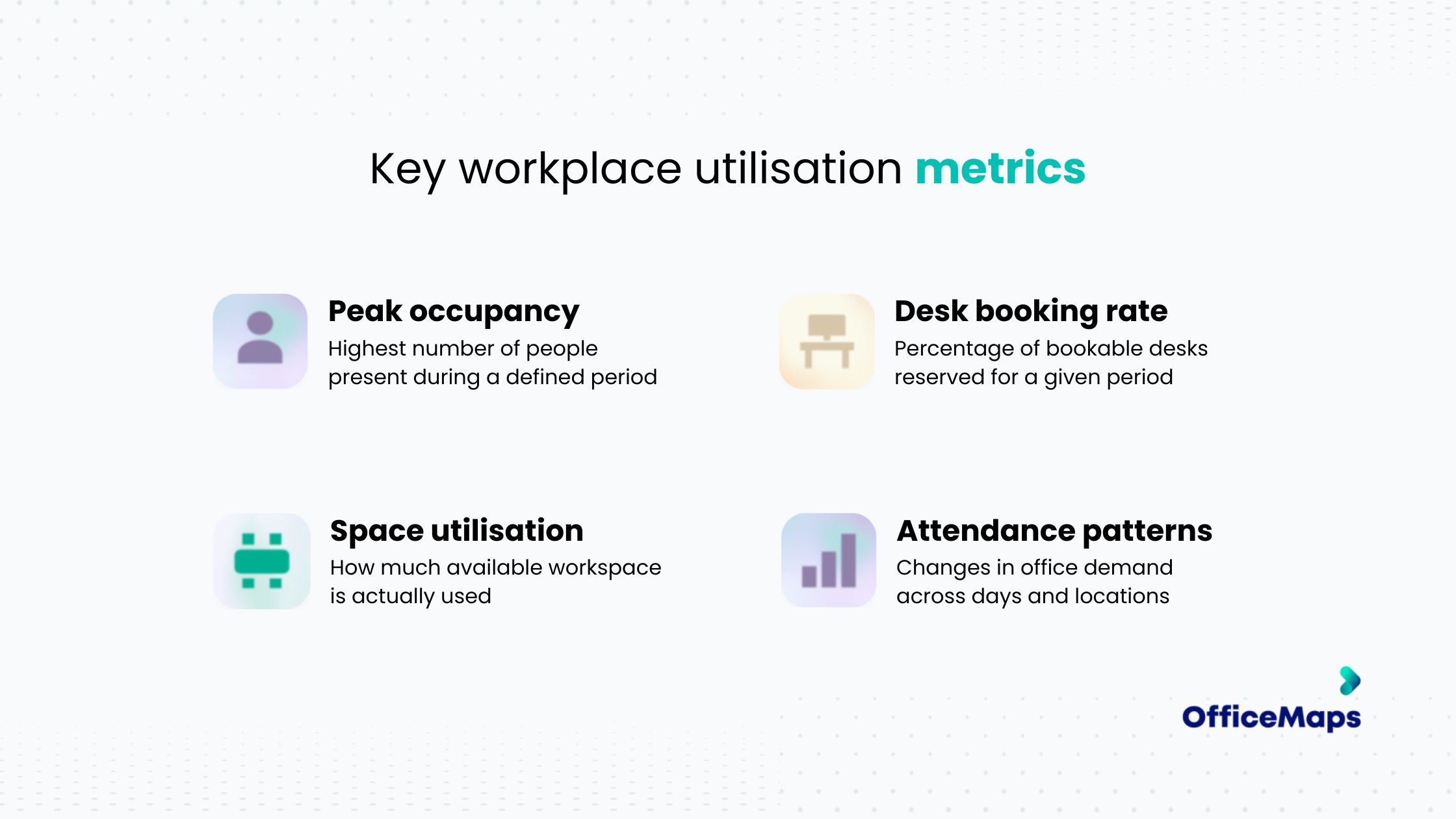
These metrics can help workplace teams identify whether space shortages are caused by genuine capacity limitations or inefficient distribution of employees.
For instance, consistently high demand on Wednesdays might indicate a need for coordinated scheduling rather than additional leased office space. Similarly, low utilisation across an entire floor could prompt a review of workspace configuration or future real estate requirements.
Turn workplace data into decisions
Workplace utilisation software becomes most useful when it helps answer operational questions:
- Should more desks be allocated to a particular team?
- Which office days need better attendance coordination?
- Are certain floors consistently underused?
- Is the current mix of desks and collaboration spaces appropriate?
- Can existing office space accommodate business growth?
OfficeMaps' workplace analytics capabilities help managers understand booking and utilisation patterns, providing useful information for space planning and ongoing workplace improvements.
6. Make the Return-to-Office Experience Easier for Employees
Return to office planning isn't only a facilities management exercise. It also affects the employee experience. Employees who have become accustomed to remote work may expect greater flexibility and convenience when visiting the office.
If coming into the workplace means searching for a desk, struggling to locate colleagues, or finding that meeting rooms are unavailable, attendance can quickly become frustrating.
Reduce unnecessary friction
A better workplace experience starts with making everyday activities straightforward. Employees should be able to find a workspace, locate teammates, book meeting rooms, and navigate the office without unnecessary administrative effort.
For organisations managing multiple floors, offices, or changing seating arrangements, interactive workplace maps can be especially useful. Instead of asking facilities teams where someone sits or whether a desk is available, employees can access the information directly.
Support collaboration, not just attendance
One of the central objectives behind many return-to-office policies is encouraging in-person collaboration. But simply having employees in the same building doesn't guarantee that collaboration happens.
Teams need to know when colleagues are attending, where they're sitting, and which spaces are available for meetings. By bringing workplace mapping, colleague visibility, and workspace booking together, OfficeMaps helps employees make more purposeful use of their time in the office.
7. Choose Workplace Management Technology That Supports Your Return-to-Office Strategy
As return-to-office requirements become more structured, businesses may need to reconsider whether their existing workplace tools are sufficient.
Some organisations begin with basic desk booking software. Others use spreadsheets, calendar tools, and separate systems for meeting room reservations and employee presence. These solutions may address individual needs, but they can leave workplace managers without a connected view of how the office operates. A more comprehensive hybrid workplace management platform can help bring those activities together.
What should you look for in workplace management software?
When comparing office space management software, evaluate how well each solution supports your actual workplace requirements.
Not every organisation needs the same configuration. A business with a single office and predictable attendance may prioritise desk booking and workplace visibility.
A larger organisation with multiple locations may require more comprehensive occupancy insights, integrations, and centralised workplace management. The important consideration is whether the technology can support both current attendance requirements and future changes in how the workplace operates.
How OfficeMaps supports return-to-office management
OfficeMaps brings several essential workplace management capabilities into one platform.
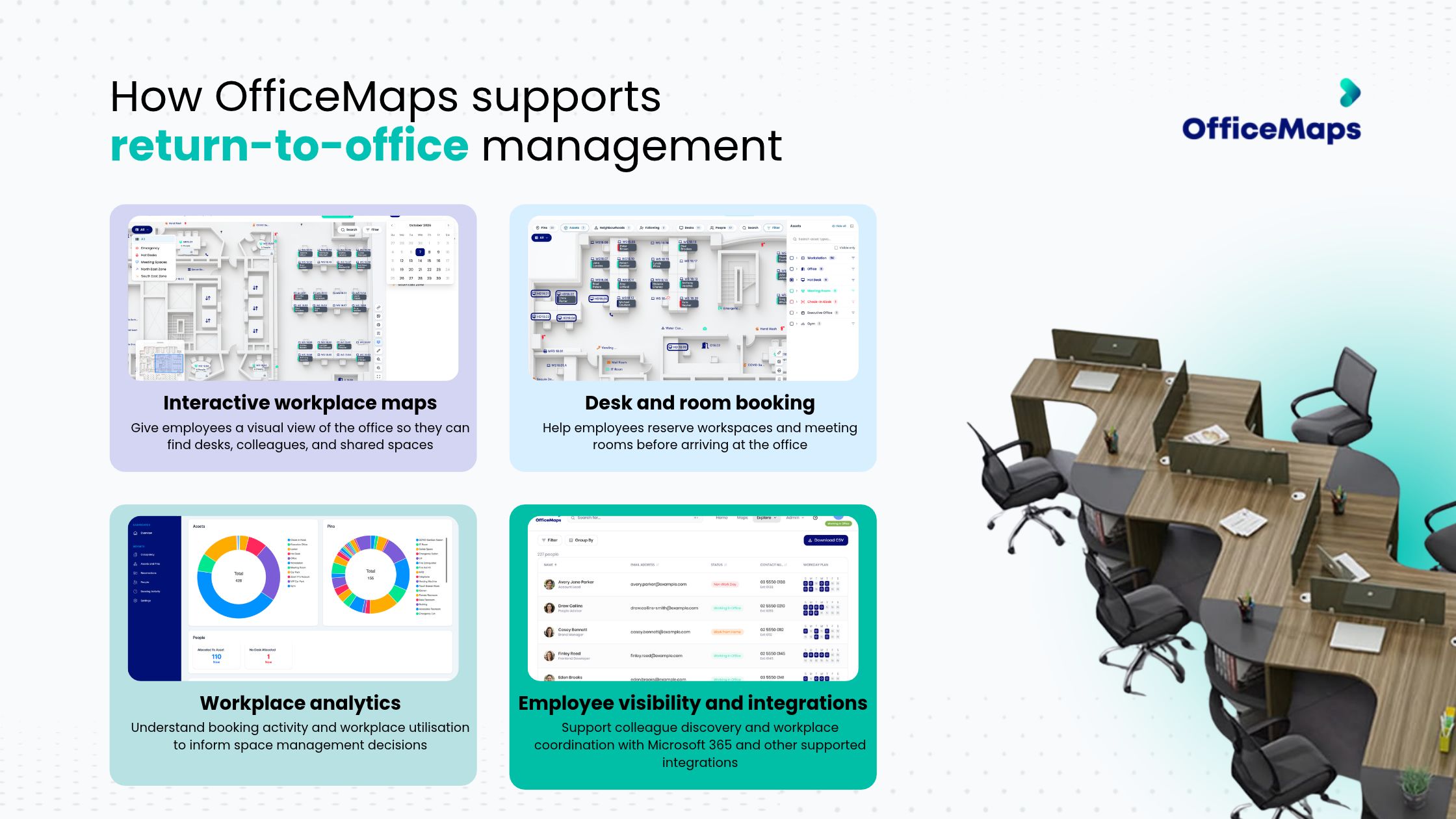
Rather than treating desk availability, office navigation, and space planning as separate challenges, organisations can manage them through a more connected workplace experience.
Return to Office Planning Checklist: Is Your Workplace Ready?
Before implementing or expanding a return-to-office mandate, use this checklist to assess your operational readiness.

Return-to-Office Planning Is an Ongoing Process
Return-to-office mandates may establish when employees are expected to attend, but they don't guarantee that the workplace is equipped to support them. Attendance patterns change. Teams grow. Office layouts evolve. Employees develop new preferences for how and where they work.
Successful return to office management requires organisations to continuously evaluate workplace demand, desk availability, employee coordination, and space utilisation. Businesses that understand these factors can make more informed decisions about office capacity, reduce scheduling conflicts, and create a workplace that functions more effectively for everyone.
The question isn't simply whether employees are returning to the office. It's whether your workplace can support the way they're returning.
Make Your Workplace Ready for What's Next
Return-to-office planning doesn't have to mean complicated spreadsheets, desk shortages, or disconnected workplace tools. OfficeMaps helps organisations manage desk bookings, workplace visibility, room reservations, and space utilisation from one platform.
Frequently Asked Questions
1. What Is a Return-to-Office Mandate?
A return-to-office (RTO) mandate is a company policy requiring employees to work from a physical office for a specified number of days each week. Depending on the organisation, this may involve full-time office attendance or a structured hybrid work schedule. Effective return to office planning helps businesses align attendance requirements with available workspace capacity and employee needs.
2. How Can Companies Prepare Their Workplace for Return-to-Office Mandates?
Companies can prepare by assessing existing office capacity, forecasting employee attendance, reviewing desk and meeting room availability, and coordinating in-office schedules. Implementing workplace management software such as OfficeMaps can help organisations manage desk reservations, improve workplace visibility, and monitor space utilisation as attendance increases.
3. How Can Businesses Manage Office Occupancy in a Hybrid Workplace?
Businesses can manage hybrid workplace occupancy through coordinated attendance schedules, desk booking systems, and workplace occupancy management tools. These solutions help facilities managers anticipate busy office days, prevent desk shortages, and distribute employees more effectively across available workspaces.
4. How Can Companies Track Employee Office Attendance?
Companies can track office attendance using workplace booking systems, employee check-ins, and integrated presence management tools. An office occupancy tracker can help managers understand attendance patterns and workplace demand. However, organisations should distinguish between planned attendance, desk reservations, and confirmed physical presence when evaluating office occupancy.
5. How Can Desk Booking Software Help Manage Increased Office Attendance?
Desk booking software allows employees to reserve workstations before arriving at the office, reducing uncertainty and preventing scheduling conflicts. A desk booking system for hybrid offices also gives workplace managers visibility into upcoming demand. OfficeMaps combines desk booking with interactive floor plans, colleague visibility, and workplace management capabilities to support more organised office attendance.
6. How Can Businesses Measure and Improve Office Space Utilisation?
Businesses can measure office space utilisation by analysing desk booking rates, peak occupancy, attendance patterns, and workspace usage across floors and locations. Workplace utilisation software helps identify underused areas and periods of high demand, enabling facilities managers to optimise desk allocation, improve space planning, and make better-informed workplace decisions.
Think your team could benefit from a tool that makes hot desk booking efficient and easy to use across all teams? You can start your free trial today.
Start Free Trial