
Download our App for iOS and Android
OfficeMap's is available on both the Apple App Store (for iOS devices) and the Google Play Store (for Android devices).



Managing interactive workspaces for
































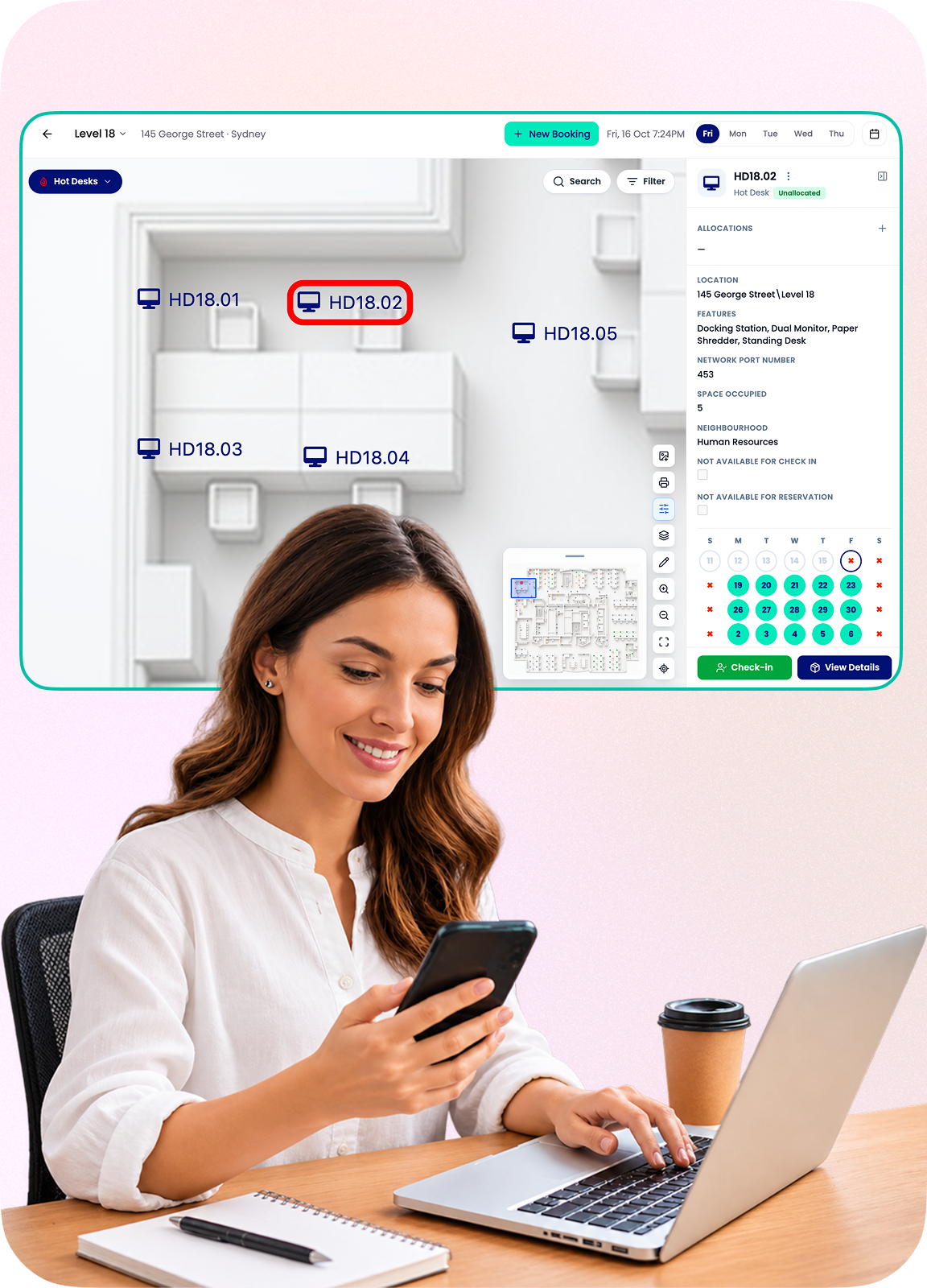
Book Hot Desks in your Office while you're on the go
The OfficeMaps mobile apps make it easy to book hot desks and resources in your office when you need them, no matter where you are.
 Book yourself a car space before you drive to work in the morning
- Reserve yourself a hot desk while you're commuting on public transport
- Check-in from home, so your colleagues know not to go looking for you in person.
- Can't remember the name of the new woman sitting the sales team? Quickly find her on the interactive employee map.
How OfficeMaps helps
OfficeMaps helps employees and managers find the people and things they need to get their job done.


OfficeMaps helps new starters navigate the workplace and find the answers to common first-day questions:
- What is the team structure of the business
- Who is the payroll manager and where do they sit
- Where are the printers near me
OfficeMaps supports new employee induction programs by:
- Identifying their assigned desk on the interactive floor plan
- Highlighting office amenities like emergency exists, printers, kitchens and bathroom facilities
- Facilitating a self-service approach to familiarize themselves with the work environment – such as identifying the people around them or locating specific individuals by role or function
- Illustrating the broader organization structure and their place in it
OfficeMaps helps remote workers communicate their availability and access the facilities in each work site:
- Which office has teleconference facilities I can use
- Is there a desk available in head office tomorrow
- Is the project manager working today
Whether flexible work arrangements in your company means job-sharing, non-standard working hours or working from home, keeping the entire team productive means sharing accurate information on when and where individuals are available to work.
OfficeMaps helps support productivity in flexible workplaces by:
- Identifying which days each individual is scheduled to work for this week and the next
- Indicating whether each team member is available to be contacted
- Facilitating sharing of physical office resources that may not be 100% utilized
OfficeMaps provides the tools to help office workers find exactly who and what they need at work.
- When the company org chart doesn’t provide the detail needed to find the right person to get a job done, OfficeMaps provides a content rich visual directory that links the people, places and resources to their physical location
- Understanding your immediate work environment is at the foundation of a safe and productive workplace. Office mapping helps you visualize who and what is around you in an interactive office floor plan
- Once you know what’s where, the next challenge becomes identifying when specific resources (like desks and meeting rooms) are available. OfficeMaps can help you tackle space management by identifying available capacity and coordinating access to shared spaces
OfficeMaps helps managers make informed decisions to manage their people and resources effectively:
- Who in my team is fluent in Japanese
- When is the Sales Manager due to return
- Can we accommodate new recruits
As the custodians of workforce productivity and wellbeing, HR managers need systems and processes to foster collaboration and employee satisfaction. OfficeMaps can help by:
- Knowing where your employees are for health and safety monitoring
- Gaining insights into workforce trends and metrics
- Helping to increase workforce engagement and promoting a culture of trust
OfficeMaps allows IT workers the ability to help users make the most of their technology regardless of their location.
- IT Services and resources can be shown visually on maps allowing users to self-service
- Remote service desk employees can locate staff members wherever they are located to provide assistance
- IT managers can better plan where to deploy services and resources based on space utilization