
Hybrid workplace management software built for the office that changes every day
See who’s coming in, give employees a place to work and understand how much office space your organisation actually uses.

Your headcount stays the same. Your office doesn’t.
– Monday might be quiet, Tuesday, everyone wants a desk
– One team has more space than it uses. Another is running out
– Employees come in expecting to work together, only to realise their colleagues chose another day
– That’s the operational reality of a hybrid workplace.
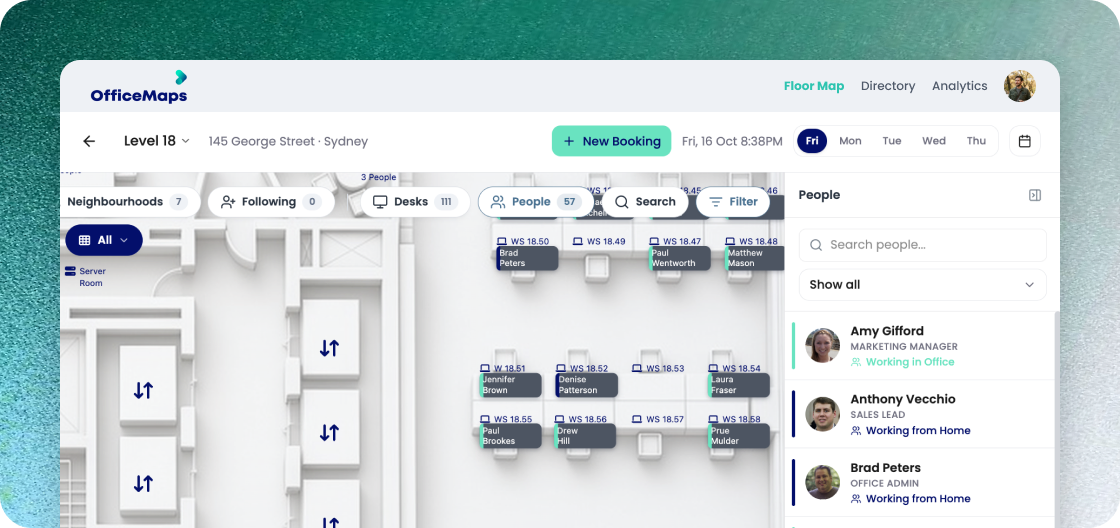
OfficeMaps gives employees visibility into the day ahead and gives workplace teams visibility into what’s happening across the office.
Give people a reason to coordinate office days
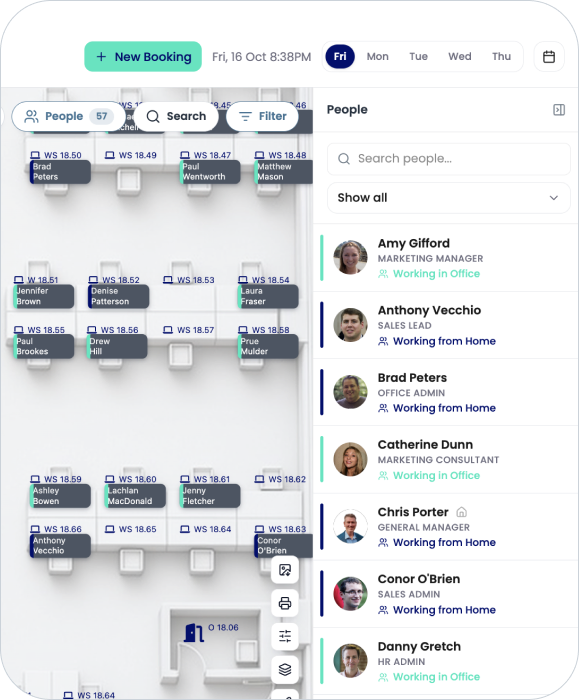
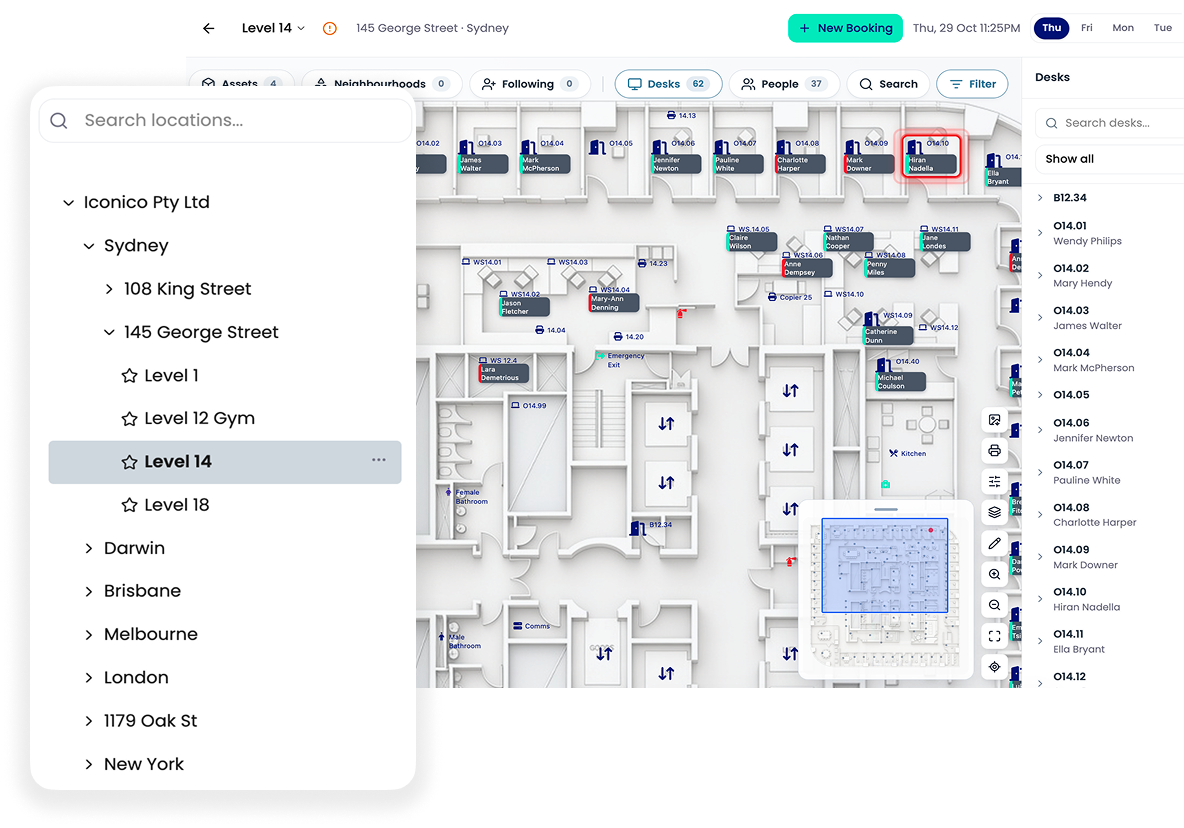
OfficeMaps lets employees see who’s working from the office, find where colleagues are sitting and plan their own office days around the people they need to work with.
No more guessing who’ll be there. No more travelling in just to spend the day on calls with people working from home.
Permanent desks or hot desks? You can have both.
Hybrid workplace management doesn’t mean turning every desk into a hot desk.

Some employees may need permanent workspaces
Some teams may share a neighbourhood
Others may book any available desk when they come in
OfficeMaps supports different workplace models within the same office, so you can decide how each space should work instead of forcing the entire organisation into one seating model.
Keep teams together without permanently giving them every desk
Create workplace neighbourhoods for teams and departments, then control which spaces employees can book.
That gives teams a familiar area to work from while keeping desks flexible enough to reflect actual office attendance.
And when usage changes, workplace teams have the data to adjust how much space each team receives.
See the office before you arrive
An interactive workplace map gives employees more context than a list of available desk numbers.
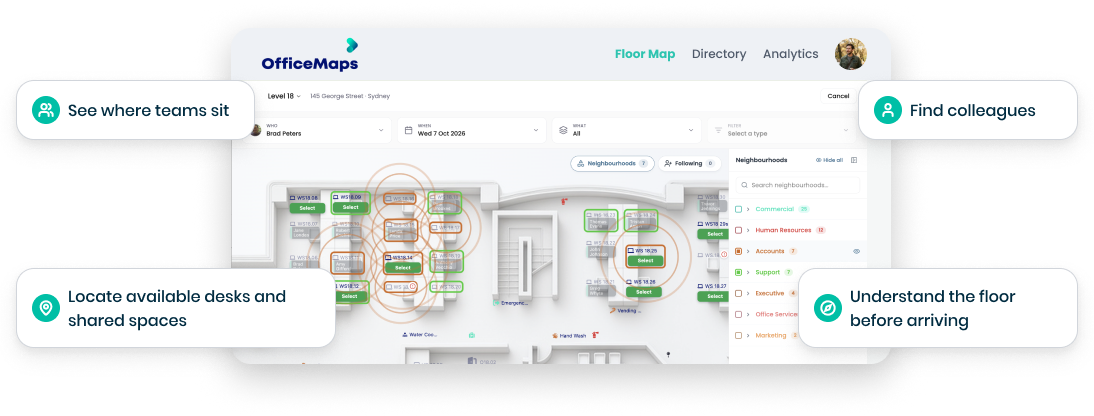
For employees visiting another floor or office, the same map becomes a way to navigate a workplace they may not know.
One office day. Everything employees need to plan it.
Coming in tomorrow? OfficeMaps lets employees organise more than where they’ll sit.

See who’s in
Plan office days around colleagues and teams.

Reserve parking
Secure a car park for the day.

Check in
Confirm the workspace is actually being used.

Book a desk
Reserve an available workspace before arriving.

Find meeting spaces
Locate shared spaces around
the workplace.

Find your way around
Use interactive maps to locate people, spaces and workplace resources.
Hybrid work becomes much easier when employees don’t need a different process for every part of the office day.
You have 120 desks. Do you still need 120 desks?
OfficeMaps helps workplace teams compare allocated space with actual usage, so decisions about desk ratios, neighbourhoods, floors and office footprint can start with evidence instead of assumptions.
Maybe you need more desks for one team
Fewer for another
Maybe three floors can become two
The point is to know before you decide.
Manage hybrid work across every office
OfficeMaps gives employees a consistent way to find and book workplace resources across locations while giving administrators visibility across the organisation.
Employees can choose where they’re working. Workplace teams can manage how each location works.
One platform for the moving parts of hybrid work

Workplace Scheduling
Help employees coordinate when they come into the office.

Employee Directory
See who’s in and where colleagues are located.

Car Park Booking
Let employees reserve parking alongside their office day.

Workplace Analytics
Understand occupancy, utilisation and future demand.

Desk Booking
Let people find and reserve the right workspace.

Interactive Office Maps
Make people, desks and resources visible across the workplace.

Meeting Room Booking
Find and reserve shared spaces.

Mobile App
Plan and manage office days on the go.
Make hybrid work easier to run, not harder for IT
OfficeMaps is designed to be simple for employees to use and practical for workplace and IT teams to manage.
It works across web, mobile and Microsoft 365, giving employees access through tools already part of their working day.
And with OfficeMaps implementation support, organisations can get the workplace configured without turning deployment into another long IT project.
Hybrid work isn’t one policy. It’s how your workplace works every day.
Give employees one place to find the people,spaces and resources around them.